Your workspace, without the browser
A desktop client for Slack, written in Go, that opens in about a second.
Runs on
- macOS
- Windows
- Ubuntu
- Debian
- Fedora
- any Linux

A native window, not a web page
Clack draws every pixel itself, on your GPU. There's no Chromium, Electron or web view inside, so there's no page to load before your messages show up.

What's new in Clack
See all releases- New in alpha.109
Activity, Threads and Saved show each message as it is now.
Their rows used to draw the copy the feed handed over, so a poll's vote counts jumped up and down and edits showed up late.
- New in alpha.108
Less redrawing when little changes.
A frame where only a small part changes (the blinking caret, an animated emoji, a spinner) now redraws just that part instead of the whole window.
- New in alpha.107
A thread's reply box comes with its first replies.
Opening a thread no longer shows the replies first and the reply box a frame later.
Features
Everything where you left it
Clack copies the 2026 Slack desktop app's layout, so the sidebar, tabs, threads and menus are where you'd look. It's an alpha. Where a screen isn't built yet, Clack hides its menu item instead of faking it.
Channels, with everything in them
Grouped messages, reactions, files and link previews, with canvases, lists, pins and bookmarks in the tabs along the top. A live huddle shows in the channel and in the sidebar.
Every screenshot in the READMEThreads open next to the conversation
A thread opens in a pane on the right with its own message box, so the channel stays in view. Tick "Also send to" and the reply goes to the channel too.
One list for everything that needs you
Mentions, thread replies, reactions, DMs and invites collect in Activity, with All, DMs, Mentions and Threads tabs. Pick an item and its conversation opens beside the list.
0.9 suntil a warm start has drawn everything1


Plugins
Bring your Taut and Slick plugins
Taut and Slick are client mods for Slack. Clack builds their plugins unmodified from the upstream source and runs them in a sandboxed JavaScript engine, turning their React components into native widgets.
54 work fully, 11 partly
Of the 72 plugins in Clack's Library, 54 work as they do in Slack, 11 work with something missing, and 7 don't work in Clack yet. The status pages list each one and what's missing.
Taut plugins in Clack Slick plugins in ClackOne click to install
The Library downloads a plugin from Clack's weekly plugins release when you install it. Where a plugin exists in both Taut and Slick, a weekly benchmark decides which version Install picks.
How the benchmark picksMade by their authors
Taut is by jeremy46231 and contributors, and Slick is by 3kh0 and contributors. Their plugins are GPLv3 and belong to their authors.
54of 72 Library plugins work fully3
In Clack's Library, without the ones that don't work yet
- Account Switcher
- Admin Backend
- Anonymise File Namespartly
- Anonymize Filenames
- bChannel
- Better Blocking
- Better GIFs
- Better Typing Indicator
- Bring Back Slackbot
- Call Timer
- Censorship
- Channel List Typing
- Character Counter
- Chat Tabspartly
- Clear URLs
- Click to Loadpartly
- Copy Reacted
- Custom Name Recordingpartly
- Custom Slackbot
- DeArrow
- Experiments
- Faster Slack
- Haiku Warning
- HCA Status
- Hide Resolved Tickets
- Huddle Activity
- Huddle Mute Detector
- Human Count
- IDV Status
- Ignore Time
- Installed Appspartly
- Invisible Forward
- Last Seen
- Let Me Seepartly
- Local Time
- Mention Profiles
- Message Logger
- Native At Channel
- Nicknames
- No Track
- No Tracking
- Not Shit Markdown
- NoUpsell
- Office Hours
- onekopartly
- Oneko
- Owl Mode
- Private Channelpartly
- Private Channel Mapperpartly
- Quick Join
- Real Markdown
- Restricted Channel Warning
- Self Carepartly
- Shinigami Eyes
- Show Real User
- Show Sending Bot
- Shut Up Slackbot
- Silent Typing
- Slack Fixespartly
- Slim Message Box
- Snappy
- Streamer Mode
- Thread Jump
- User Pronouns
- Who Reacted
partly works, with something missing
Themes
Every Slack theme, light or dark
All 28 of Slack's theme presets, custom colours and dark mode. The theme you pick is saved to your Slack account, the way Slack saves it.
28 presets
Aubergine, Clementine, Banana, Jade, Lagoon, Barbra, Gray, Mood Indigo and the rest, drawn from Slack's own palettes.
Your own colours
Set a custom theme in Preferences, under Appearance, the same way you would in Slack.
Light, dark or your system's
Dark mode can follow your system's setting, as Slack's does.
28theme presets, the same as Slack's
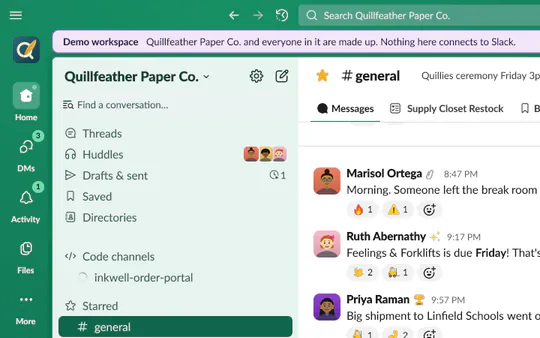
Jade · light 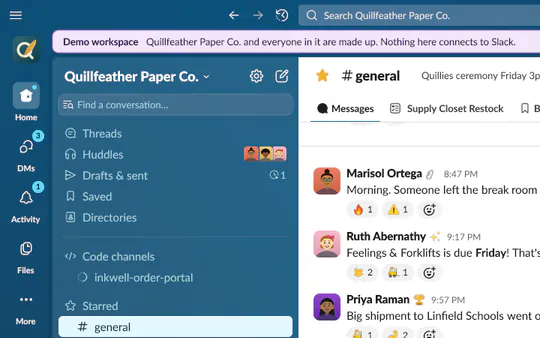
Lagoon · light 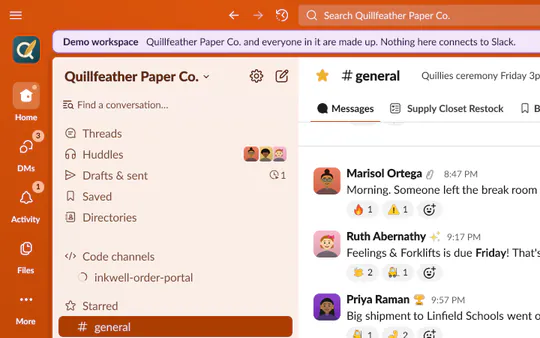
Clementine · light 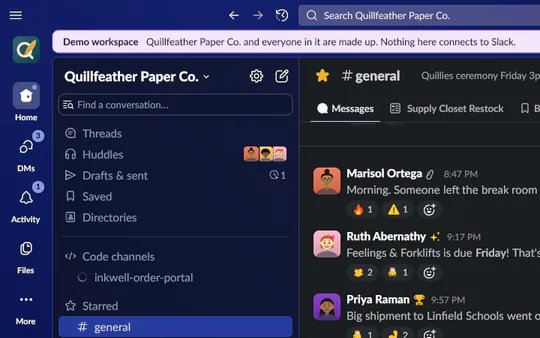
Mood Indigo · dark


Open source
Free, open and built by CI
Clack is MIT licensed and built in the open. Every release comes out of CI with a SHA256SUMS file for its downloads.
Try it without an account
Run Clack with demo and it opens Quillfeather Paper Co., a made-up company whose coworkers post, reply, react and start huddles. The demo runs its own fake Slack server, and Clack refuses every connection that isn't to your own computer.
It updates itself
On all three systems Clack downloads each new release, checks it against the release's SHA256SUMS and applies it when you restart.
Its own sign-in
You sign in through your browser, the way the Slack app does, and Clack gets a session of its own. Nothing is copied out of your browser.
How signing in works"The demo is offline and can't reach Slack."
clack demo# Linux, AppImage
$ ./Clack-0.1.0-alpha.109-x86_64.AppImage demo
# Linux, from the .deb or .rpm
$ clack demo
# macOS
$ /Applications/Clack.app/Contents/MacOS/clack demo
# Windows, in PowerShell
> cd $env:LOCALAPPDATA\Programs\Clack
> .\Clack.exe demoClack in numbers
- 107alpha releases since 8 Nov 2026
- 72plugins in Clack's Library3
- 28theme presets
- 11packages in every release, for x64 and ARM64
Check the numbers yourself.
Every number on this page links to the CI run or the file it came from. The perf workflow measures each push to ui and main, and its reports are public.
See the perf runsDownload Clack
-
Your system
Windows
Windows 10 and 11, x64
Download the installerClack-0.1.0-alpha.109-windows-amd64-setup.exe · 25.8 MB
-
Your system
macOS
macOS 11 or later, Apple silicon and Intel
Download the .dmgClack-0.1.0-alpha.109-macos-universal.dmg · 70.7 MB
Or the same app as a .zip.
-
Your system
Linux
Any distro with Wayland or X11
Download the AppImageClack-0.1.0-alpha.109-x86_64.AppImage · 30.7 MB
Clack was built for the Hack Club Slack, an Enterprise Grid, and other workspaces work too. These are alpha builds that Apple and Microsoft haven't signed, so the first launch shows a warning. The install guide says what to click, and every release has a SHA256SUMS file to check your download against.
Read more about Clack
- GuideInstall Clack on Windows, macOS or LinuxRead more
- DocsHow plugins work in ClackRead more
- ReviewThe security and policy reviewRead more
- ChangelogEvery release's notesRead more
- 1Startup comes from perf run 44220175072 on commit 557993a, the commit tagged v0.1.0-alpha.106. The run builds that commit with the perfharness tag, which lets it talk to a fake Slack server on the same machine; a release build refuses to. It ran on a GitHub Actions ubuntu-latest runner under Xvfb with Mesa's llvmpipe software renderer, against a fake workspace the size of the Hack Club Slack with 150 ms added to every API call and 40 ms to every image, and with six plugins on. Over five starts the first frame came 152 to 208 ms after the process started. A warm start settled, meaning nothing changed for 1.5 s, after 769 to 936 ms; a cold start with nothing on disk settled after 943 to 961 ms.
- 2Memory comes from the same run's Windows job, the same kind of build on a windows-latest runner with no GPU, so Direct3D 11 ran on Microsoft's software renderer. The fake workspace had 65,846 custom emoji, 32,000 users, 2,006 user groups, 300 channels and 120 DMs. 267 MB is the private working set, Task Manager's Memory column, once a warm start settled with 1,005 of the 32,000 people loaded. 564 MB is after scrolling through channels of 6,000 messages, where it peaked at 835 MB, then 40 more channels and ten idle minutes. A cold start that loads all 32,000 people used 323 MB. On the Linux runner the warm start used 231 MB and the idle figure was 607 MB.
- 3Plugin counts come from the Library's index of 16 Nov 2026 (96 builds of 72 plugins) and the verdicts in internal/pluginlib/compat.go, which the Taut and Slick status pages record. A plugin counts as working when the version Install would pick works.